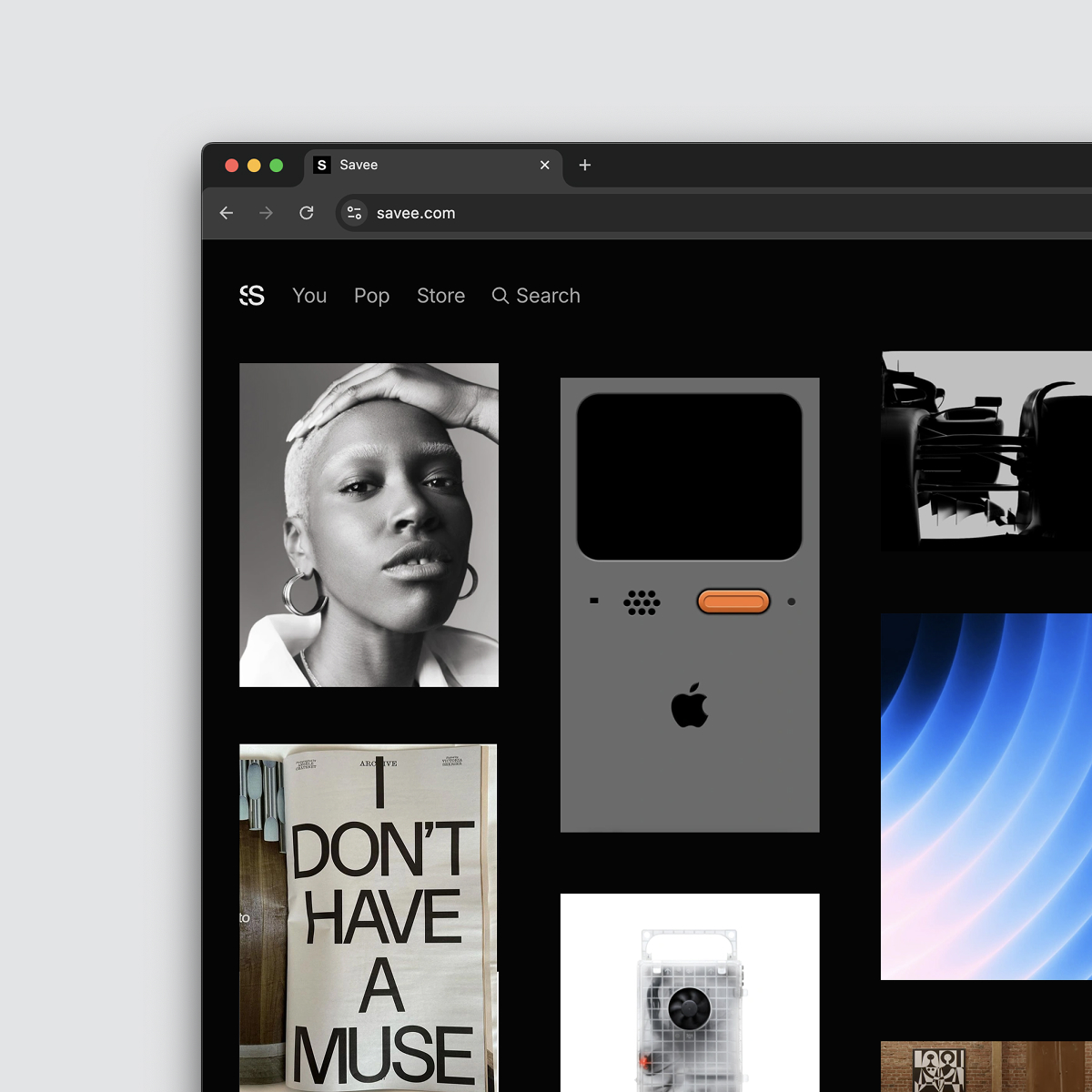
Savee Review: The Inspiration Tool That Wins by Getting Out of Your Way
There is a specific kind of dread that sets in when you open a new tab to search for design inspiration and are immediately hit with a wall of sponsored pins, engagement bait, and an interface that feels like it’s fighting you for control of your own attention span. It’s exhausting.
Savee is the antidote to that. It’s not a social network masquerading as a utility. It’s a deliberately quiet, private workspace for designers who are tired of the noise. Built by a small, independent team that openly admits they built it for themselves first, Savee feels less like a "platform" and more like a well-crafted, digital flat file for your visual brain.
If you’ve ever lost a perfect reference image because it was buried in a bookmarks folder named "Stuff," or you’re simply done with algorithms dictating your taste, Savee is worth a long look.
What is it? A clean slate for visual thinking
Strip away the marketing fluff, and Savee is a moodboarding and visual bookmarking tool with an unusually strict content policy against noise. You save images and videos ("Saves"), you drop them into Boards, and you optionally collaborate with a team or client.
The magic isn't in a feature list; it's in the omission. There are no ads. There is no "For You" page designed to hijack your dopamine receptors. There is just the stuff you decided was worth keeping.
It occupies a pragmatic middle ground between a messy desktop folder and a bloated enterprise asset manager. It’s a place where your reference library actually lives, not just a place you scroll through and forget.
Who it’s for (and who can skip it)
Savee is ruthlessly targeted. You’ll love it if you are:
- A visual designer or art director who builds moodboards for every pitch.
- A product designer who needs a living, breathing UI inspiration library.
- A small studio or agency team that needs a shared source of visual truth without the overhead of a full DAM system.
It’s probably overkill if you’re a casual hobbyist who saves three images a year for a bathroom remodel. Savee isn't trying to entertain you; it's trying to make you more efficient at work.
Fitting into the stack: workflow over features
Where Savee excels is in the quiet moments of the day when you’re deep in research. It disappears into your workflow rather than demanding you come to it.
The browser extension (the real MVP) Most of your interaction will happen via the extension. You see a layout on a portfolio site, a color palette on a brand's page, or a specific type treatment, you right-click and it's saved. That’s it. No pop-ups asking you which "community" to share it with. No algorithm analyzing your click. Just capture. It works across Chrome, Safari, Firefox, and Edge with the same quiet efficiency.
The Figma plugin (staying in flow) For the vast majority of product and UI designers living inside Figma, this is the killer integration. You don't have to leave your canvas to pull in references. You can drag in from your Savee boards as easily as you'd pull from a local folder, but without the file management headache. It also lets you push work into Savee for documentation or team review without breaking your design flow.
Organization that bends to your brain Savee’s board system is flexible but not loose. You can have one image live in multiple boards, a lifesaver when a single reference applies to both "Typography Trends" and "Client X Rebrand." You don't have to duplicate the asset. The structure is there when you need to drill down into a specific project, but it never forces you into a rigid taxonomy that you’ll abandon in two weeks.
Real-time curation (the good kind) There is a discovery element called "Related Content," but it’s different from the engagement-driven feeds we’re used to. It's based on visual cues and tags. If you save a brutalist building, it shows you more brutalist architecture. It’s contextual, not behavioral. It helps you go deeper on a topic without pulling you away from the original task.
Realistic scenarios
The solo designer’s memory bank You’re working on three different projects. Instead of 47 open tabs that crash your browser, you right-click and save. By the end of the week, you have a board for Project A’s landing page, a private board for a side project’s color exploration, and a general "Saved" bucket. When you need that one image of Swiss typography you saw Tuesday, it’s exactly where you put it.
The studio pinning session Your team is starting a new visual identity. Instead of everyone pasting links into Slack (where they get lost immediately), you create a shared board. Everyone drops their finds. You leave comments like "Too playful" or "This tone is right." By the time you open Figma, the visual direction is already aligned, and you’re not starting from a blank page or a messy email chain.
The obvious question: why not just use a free tool?
This is the reasonable skepticism any professional should have. "I have a hard drive. I have free Pinterest. Why pay for this?"
The answer isn't that Savee does things you can't do elsewhere. It's that Savee does them without the friction and the distraction tax.
When you use a folder of screenshots, you lose searchability and the ability to re-contextualize a single asset across multiple projects. When you use ad-supported platforms, you are the product, and your focus is the currency being spent.
What you’re actually paying for with Savee is a
- Cognitive quiet: No ads, no "suggested for you," just your collection.
- Workflow density: The Figma plugin and browser extension shave seconds off every save. Over a year of work, that’s hours of not clicking through modals.
- Privacy by design: You aren't sharing your taste graph with an ad network. You're just working.
Where it might not make sense: If your inspiration gathering is purely a one-off, "save image as" kind of task, the subscription fee might feel like a stretch. But if you’re a professional who treats visual reference as a core part of the craft, the cost is trivial compared to the time saved not fighting an algorithm.
Questions worth asking before you commit:
- How granular are the team permission settings for agencies managing client access?
- What is the file size limit for uploads and saves?
- How does the "Related Content" handle more abstract or conceptual searches?
- Is the Dropbox backup a continuous sync or a manual export?
- What specific endpoints are available in the API for custom workflow integration?
- How does the platform handle video performance compared to static images?
Savee isn't going to win a spec-sheet war against enterprise software. It’s not trying to. What it offers is something rarer: respect for your attention.
It’s a tool that understands that the best inspiration doesn't come from an algorithm, it comes from the quiet act of looking, saving, and connecting dots on your own terms. If your current method of saving references feels like a second job, Savee is a clean, fast, and remarkably peaceful alternative.
Try it for a week. If you find yourself breathing easier during research sessions, you’ll know it’s the right fit.